
Download Quick Any2Ico – extract icons, icon extractor, PNG icons, folder icon changer, portable icon tool
Overview
Quick Any2Ico is a lightweight utility designed to simplify the process of extracting and managing icons from various sources on a Windows PC. The app enables users to capture icons from applications, files, and folders with minimal effort, offering a streamlined workflow for personalization and organization. Its primary purpose is to empower users to customize their digital environment by providing high-quality PNG outputs and the ability to modify folder icons effortlessly. This tool is particularly useful for individuals who value aesthetic control over their desktop, such as designers, power users, and anyone seeking a more personalized computing experience.
Target users include both casual users looking to enhance their file organization and professionals who require consistent, high-resolution icons for projects or presentations. The app’s portability and zero-installation requirement make it ideal for use across multiple devices or shared environments. Although the developer, Jason A.
Bilbrey, is credited with the creation, no further background information about the developer or company is available. The app operates as a standalone utility, fitting seamlessly into the broader ecosystem of productivity and system customization tools. Its release on September 9, 2024, positions it as a recent addition to the utilities category, addressing a niche but valuable need in desktop personalization.
Key Features & Functionality
- Straightforward Icon Extraction: Users can extract icons by dragging and dropping files or capturing them directly from open windows. The intuitive workflow minimizes friction and ensures quick access to desired icons.
- High-Quality PNG Output: Extracted icons are saved in high-resolution PNG format, preserving clarity and visual detail for use in design work, presentations, or desktop customization.
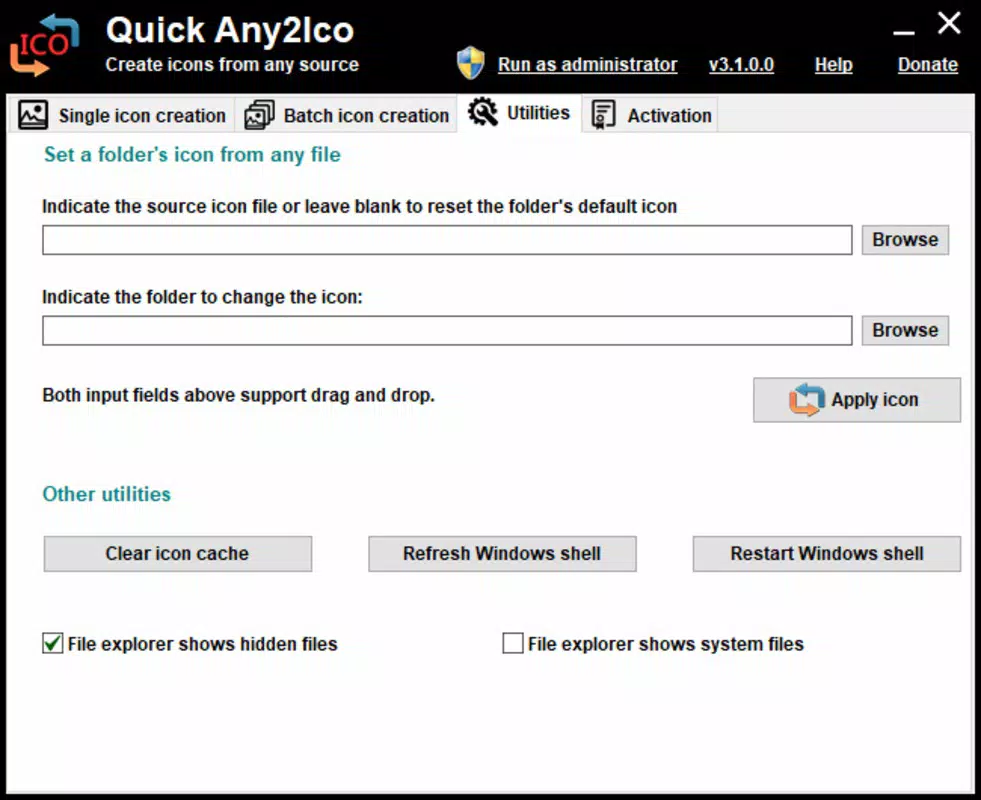
- Easy Folder Icon Customization: The tool allows users to change folder icons by simply dragging the target folder and the chosen icon into the application, completing the task in seconds.
- Portable and Installation-Free: Quick Any2Ico runs directly from any folder without requiring installation, making it ideal for use on USB drives or shared systems.
- User-Friendly Interface: The interface is clean and minimal, enabling users of all experience levels to navigate features without tutorials or prior knowledge.
For example, a user organizing a creative project can extract icons from design software and save them as PNGs for use in a custom folder structure. Another user may personalize their Downloads folder with a unique icon to improve visual navigation. The app’s simplicity and direct functionality make it a practical tool for real-world desktop enhancement tasks.
Interface, UX & Performance
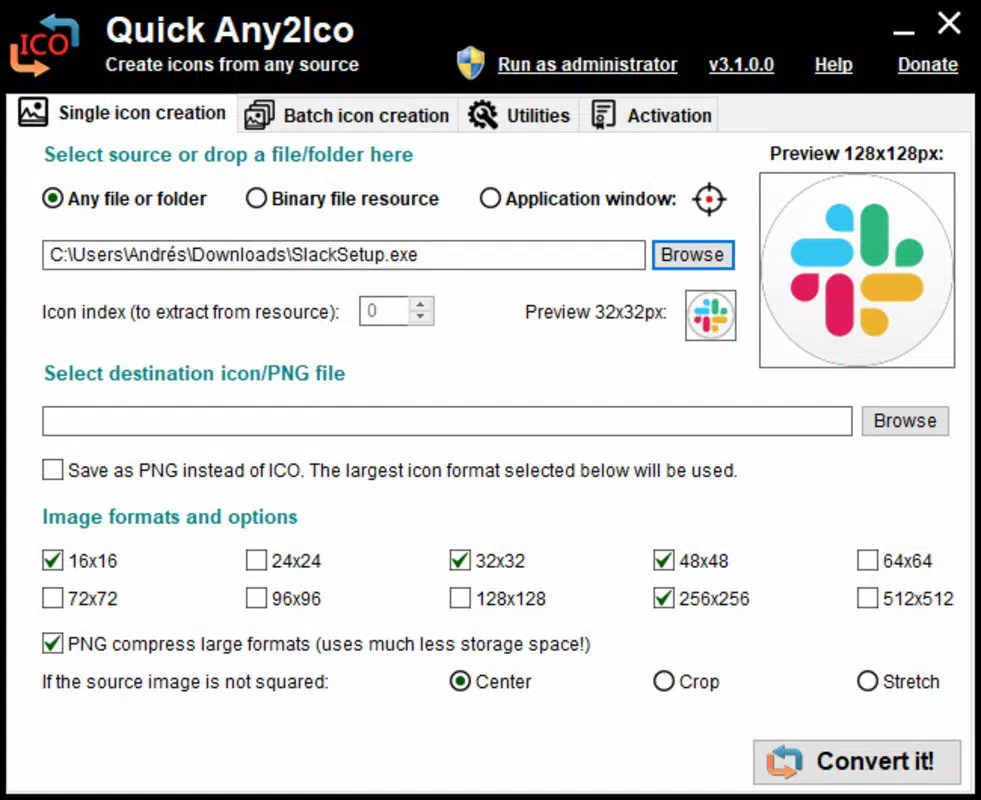
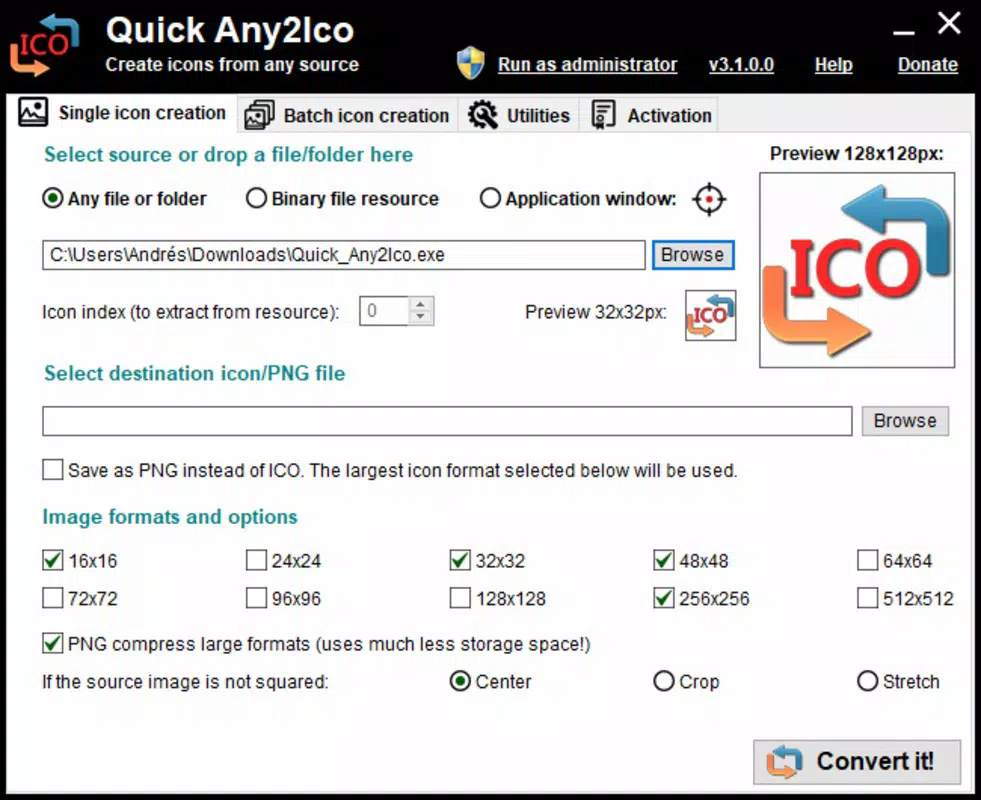
Quick Any2Ico features a minimalistic interface focused on core functionality. The layout is clean, with clearly labeled input zones for files and icons, and a real-time preview window to confirm selections before export. Navigation is intuitive, relying on drag-and-drop mechanics that require no learning curve. The app responds promptly to user actions, maintaining smooth performance even with multiple icon extractions.
Although the developer did not list formal performance metrics, the application’s lightweight nature—only 1.8 MB in size—suggests efficient resource usage. It runs without noticeable lag on standard Windows systems, and its portability ensures consistent behavior across different hardware configurations. Responsiveness is maintained during file interactions, and the interface remains stable throughout use. The absence of background processes or system modifications contributes to a reliable user experience.
Users can expect consistent performance across entry-level and mid-range devices, though specific compatibility details were not disclosed. Stability appears strong, with no reported crashes or errors in the provided information. The lack of installation also reduces the risk of conflicts with existing system software.
Platform Compatibility & Technical Requirements
Quick Any2Ico is designed exclusively for the Windows platform. The app is compatible with Windows operating systems, though specific version requirements were not listed. It has a file size of 1.8 MB, making it highly efficient in terms of storage usage. As a portable application, it does not require installation, allowing users to run it from any directory or removable drive.
The developer did not specify minimum OS requirements, nor did they provide details about hardware or driver dependencies. This lack of information means users should exercise caution when deploying on older or non-standard Windows environments. Compatibility with newer Windows versions (e.g., Windows 11) is likely but not confirmed. The app’s lightweight footprint suggests broad compatibility across most modern Windows systems.
Pros and Cons
Pros
- Lightweight and fast, with minimal system impact
- Portability allows use on any device without installation
- High-quality PNG output suitable for design and personal use
- Simple drag-and-drop interface with real-time preview
- Free to download and use with no hidden costs
Cons
- Platform limited to Windows only
- Specific OS version requirements not disclosed
- No built-in batch processing or advanced editing tools
- Developer background and support channels not publicly available
- No official update notifications or changelog provided
FAQ
Is Quick Any2Ico safe to download and use?
Yes, the app is free and designed for Windows. It operates as a portable tool without installing drivers or modifying system settings, reducing potential security risks. However, users should always download from trusted sources to ensure authenticity.
Can I use Quick Any2Ico on older versions of Windows?
The developer did not specify minimum OS requirements. While the app’s small size suggests compatibility with older systems, users are advised to test it on their specific setup to confirm functionality.
Does Quick Any2Ico support batch extraction?
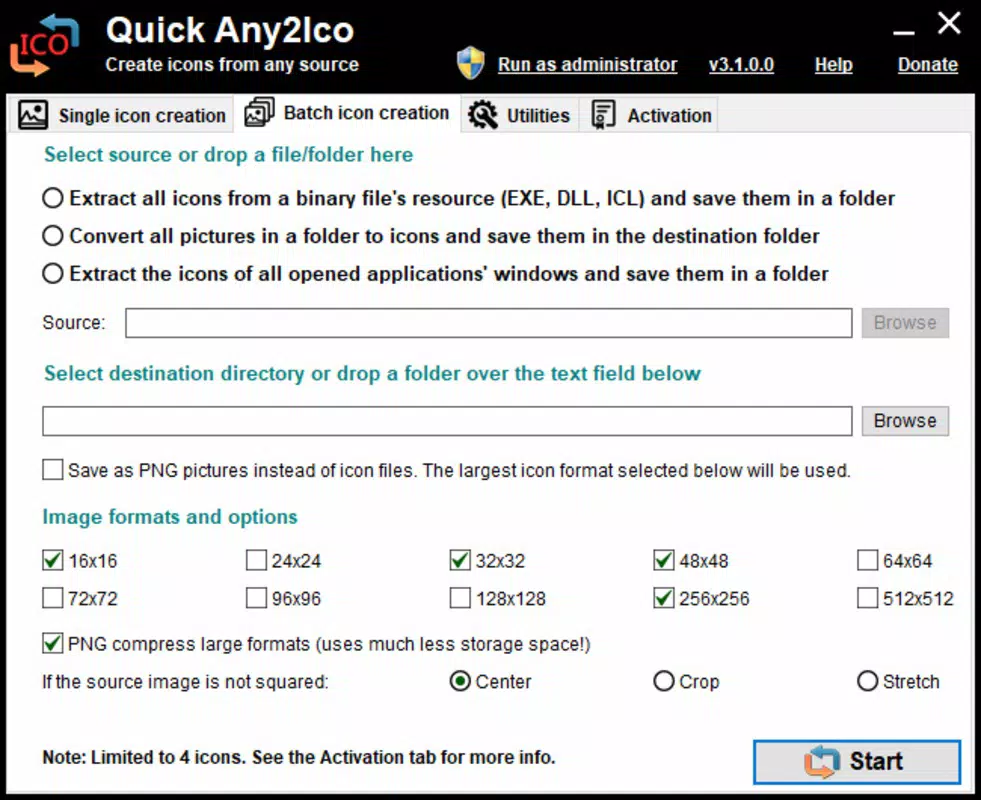
Based on the available information, the app does not appear to include batch processing features. Each icon must be extracted individually through drag-and-drop or window capture.
Is the app available for macOS or Android?
No, Quick Any2Ico is currently designed only for Windows. There is no official version for macOS, iOS, or Android platforms.
How do I update Quick Any2Ico?
Since the developer did not provide update mechanisms or changelogs, users should check the official source regularly for new releases. The app’s version is 1.2.3 as of its release date.
Final Thoughts
Quick Any2Ico delivers a focused, efficient solution for users seeking to extract and customize icons on their Windows desktop. Its portability, ease of use, and high-quality PNG output make it a valuable utility for both casual and professional users. While it lacks advanced features like batch processing or cross-platform support, its simplicity and reliability stand out in a niche market. The app is particularly beneficial for those who value visual organization and personalization without the complexity of larger design tools.
For anyone looking to enhance their desktop experience with minimal effort, Quick Any2Ico offers a secure, lightweight, and free solution. It’s a practical tool for managing folder icons, preserving design assets, or simply improving the aesthetic of your workspace.
Download Quick Any2Ico now


